ODR for Dreambox One / Two@Captain
Open Dream Rescue (ODR) is the community-developed replacement for the
old Dreambox Rescue Loader. ODR starts regardless of the installed TV image.
This allows you to install a new image even if Enigma2 no longer starts. You
operate ODR on the TV with the remote control or in the browser on your PC,
tablet or mobile phone. The menus have the same name on all devices and
are in English.
1. Replace the old Rescue Loader with ODRStart the box with its normal, internally installed DreamOS or community
image. Connect them to your home network via LAN. On your PC, open a
Telnet connection to the IP address of the box (e.g. with PuTTY, connection
type Telnet, port 23). Log in as root with the password of your image. If Telnet
is disabled in the image, the same command will work in an SSH session or
the local Linux console.
Copy this line into the Telnet window and press Enter. She loads the installer
directly from GitHub and launches it on the box:
Code:
wget -qO- https://raw.githubusercontent.com/oe-alliance/bootmenu/master/install-odr.sh | sh
If your image has curl instead of wget, use:
Code:
curl -fsSL https://raw.githubusercontent.com/oe-alliance/bootmenu/master/install-odr.sh | sh
The installer detects One or Two, checks the appropriate ODR and compares
the installed front processor firmware with the offered version. If an update
is necessary, it is in the displayed plan. Confirm Apply this plan? with y. Enter
alone breaks off. Before overwriting, the installer backs up and checks the
previous Rescue Loader. Keep the power plugged in until the final message.
The installer does not trigger a restart.
The backup is located under /home/root/odr-backups/ in a subfolder with
model and date. Copy recovery.bin and SHA256SUMS to your PC, especially
before a later GPT switch. These files back up the Rescue Loader. You save
TV images and settings separately.
Old DreamOS and HTTPSIf no output appears after the wget command, take the curl line or remove the
q from -qO- to make wget show the error. Check the date, time, and network.
For an expired certificate chain or a wget warning that certificates are not
being checked, use this line. It loads the same file from GitHub and only
starts it if the checksum is right:
Code:
( f=$(mktemp /tmp/odr.XXXXXX) || exit 1; trap 'rm -f "$f"' 0; u=https://raw.githubusercontent.com/oe-alliance/bootmenu/master/install-odr.sh; (curl -q -kfL -o "$f" "$u" || wget --no-check-certificate -O "$f" "$u") && printf '%s %s\n' d6a29d59af3992e51d6ada45cc1eb9b577c35da81bc1110d7c856375f2d925d1 "$f" | sha256sum -c - && sh "$f" )
In case of a different checksum, use the current version of this article. If
neither program can establish a TLS connection to GitHub, the HTTPS client in
the image must first be updated or another installed image must be started
for installation. For a pure test run, replace the final sh with sh -s -- --check.
2. Start ODR and install an imageFor internal rescue, take a bootable SD from the switched off box. Press and
hold the front button when turning it on until Rescue Mode appears. The web
address is on the TV. Open exactly this address with http:// in the browser of
a device on the same home network. Use a LAN cable for the first connection.
If the Gigabit LAN is unstable, you can select 100 Mbit/s under Maintenance
→ Ethernet settings.
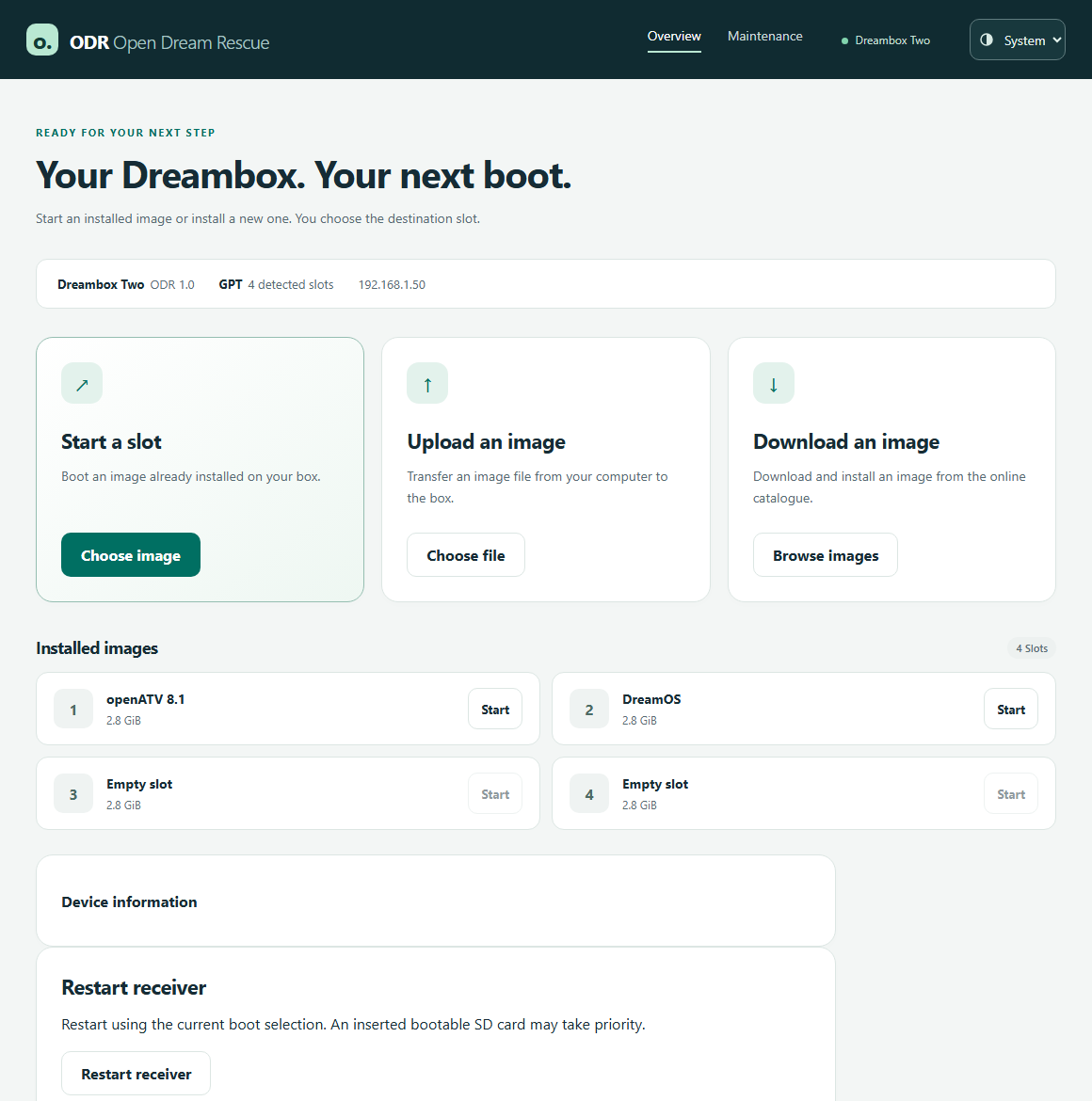
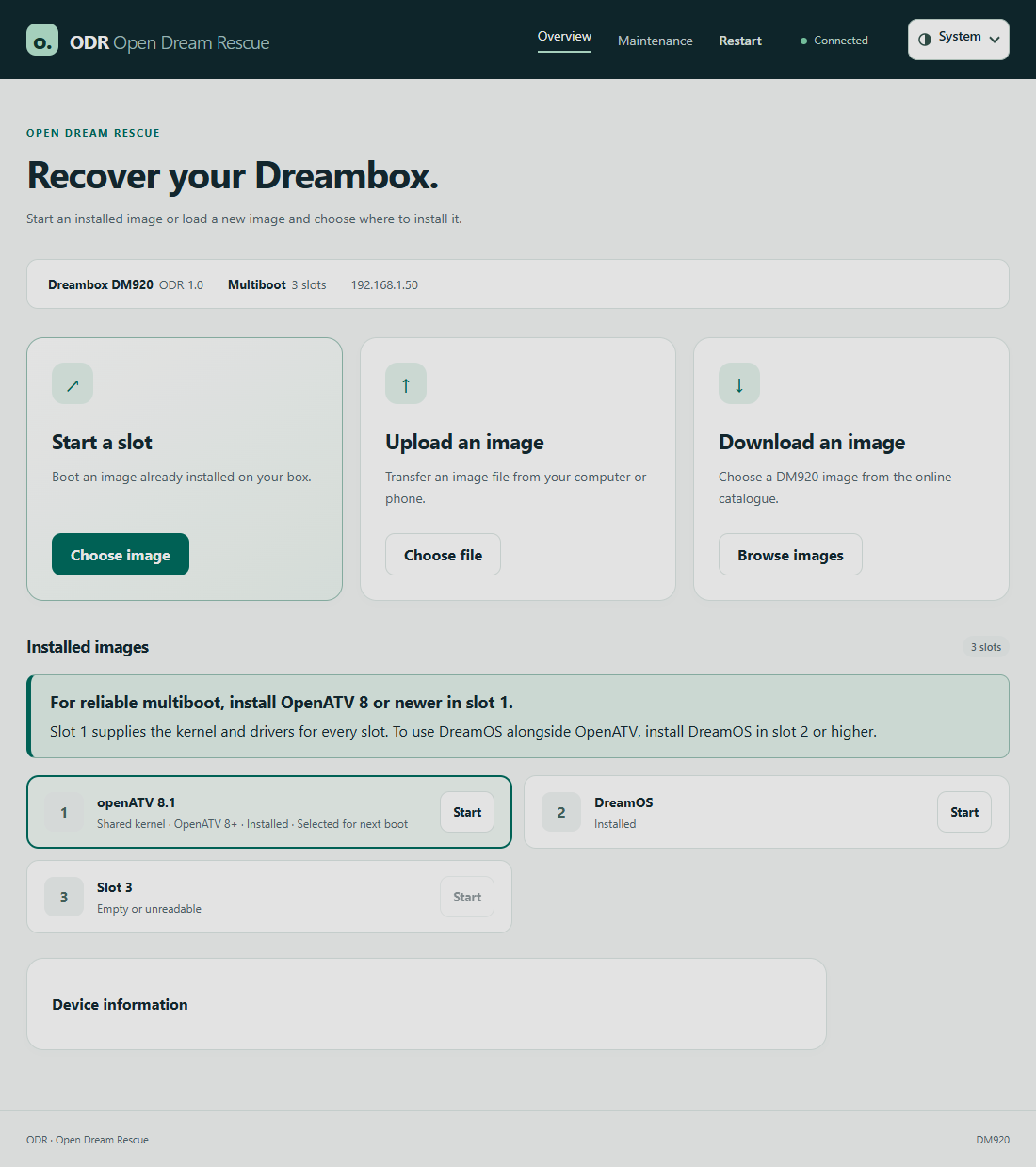
Start an existing image – Under Start a slot → Choose image, select the
desired slot and confirm the start. This can also be done on the TV with
the remote control.
Image from PC or mobile – Under Upload to image → Choose file, select the
archive for your model. You can upload a standard team ZIP with subfolder
and packed root file system directly. Suitable older DreamOS archives, such
as .tar.xz or .tar.bz2, are also possible. Leave the browser tab open during
the upload.
Image from the Internet – Under Download an image → Browse images
select an offer and then Download image. The box loads it itself.
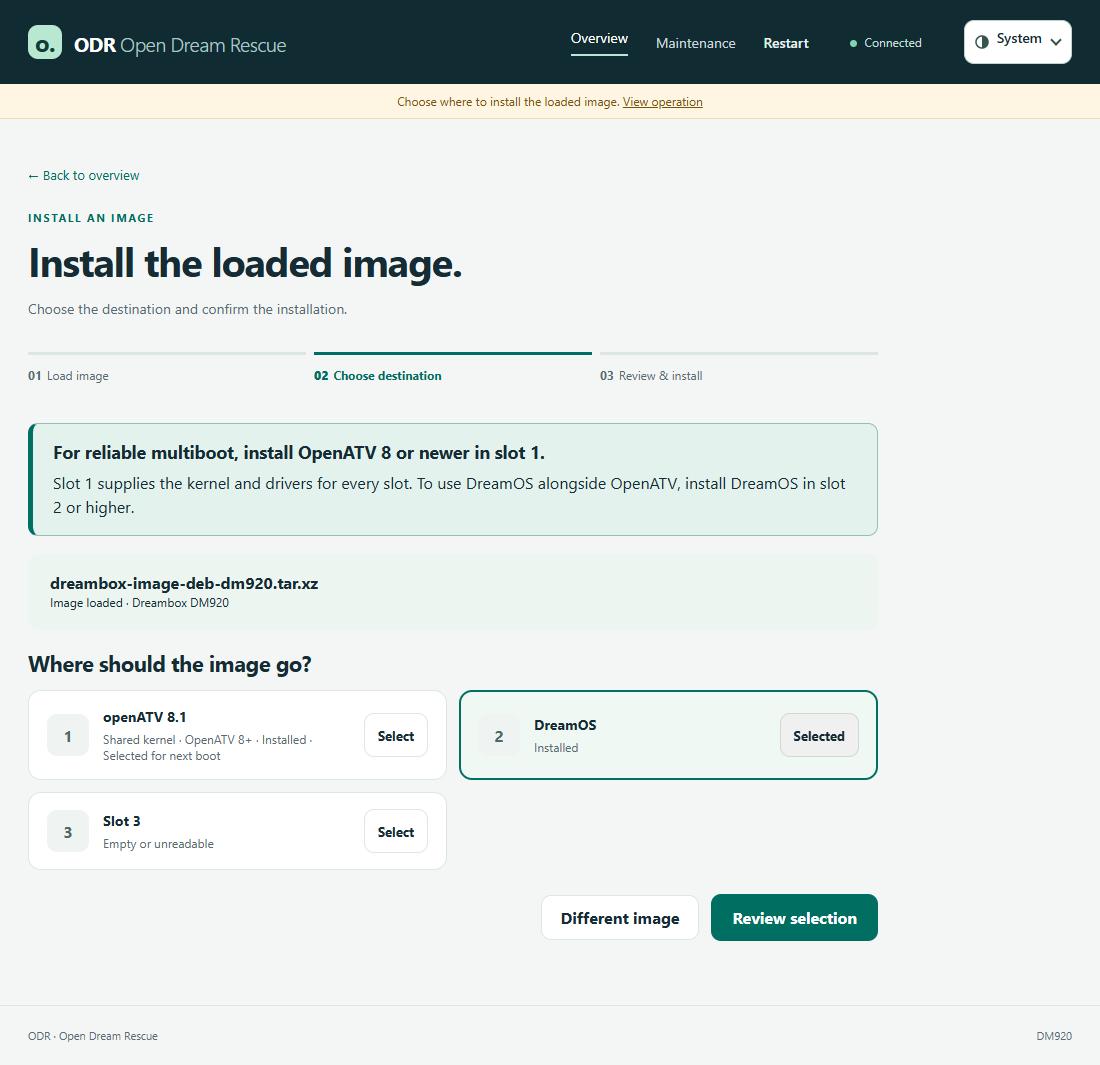
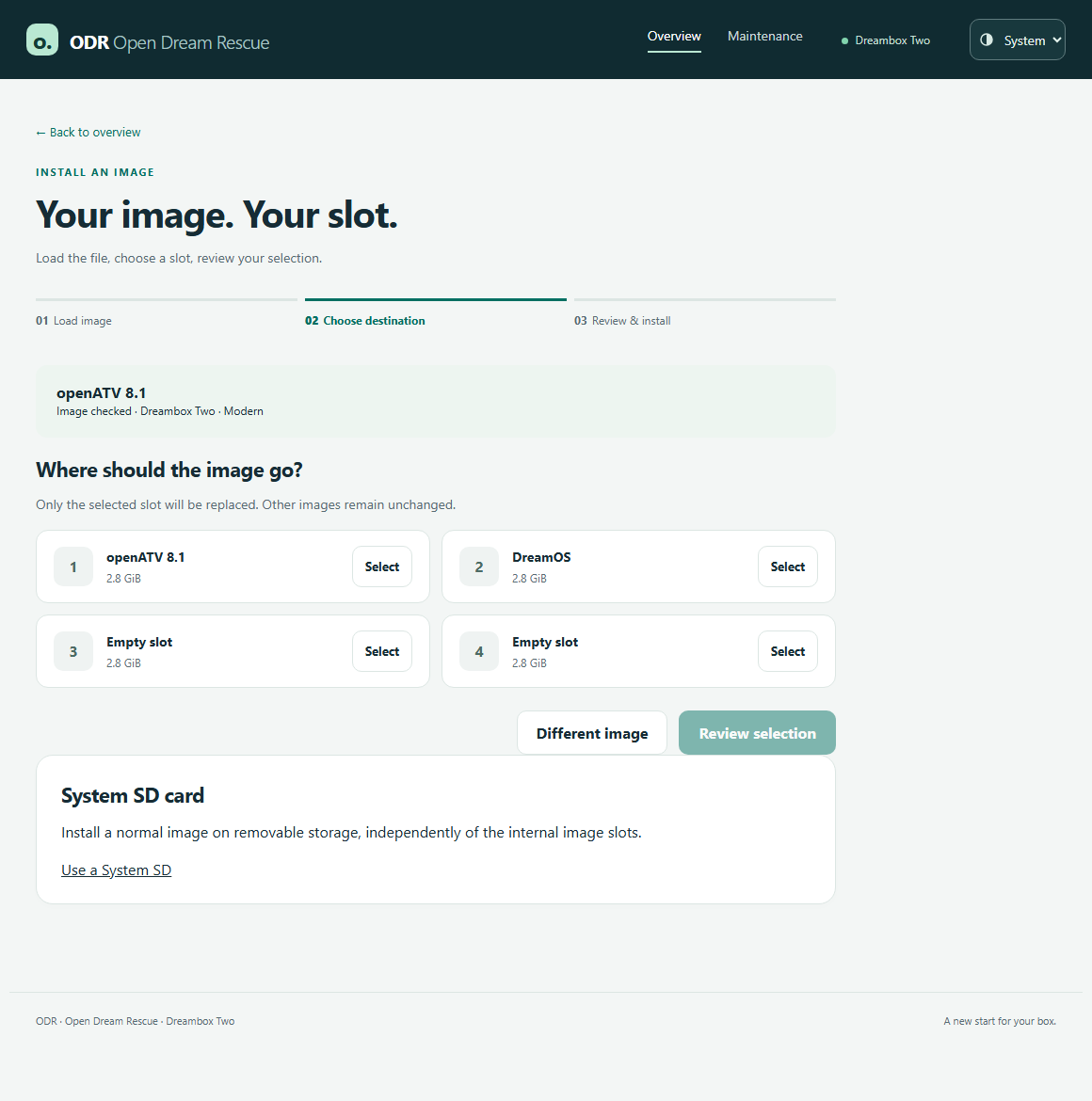
ODR checks the loaded image. With GPT, you then select the target slot and
confirm that its previous content may be replaced. With Legacy/MBR, there
is only one internal image. Here you come directly to the confirmation of this
one goal. After successful installation, you can start the new image
immediately or go back to the overview.
3. Create and check the recovery SD
The Recovery SD is your separate emergency card. It contains ODR and the
boot files for your model. One card for the One belongs to the One, one for
the Two to the Two. When booting from the card, ODR runs in RAM and shows
the state of the internal memory.
Insert an SD card into the internal ODR, the contents of which can be erased.
Open Maintenance → Recovery SD card → Prepare SD card. Check card name
and size. If necessary, click on Refresh devices.
By default, ODR uses the compatible Rescue installed. You can choose the
online version via Download ODR from the online catalogue. Confirm the
deletion of the card and click Create SD card. Wait for the success message.
Turn off the box, leave the card inserted and turn it back on without pressing
a button. Only when Recovery SD is on the TV or browser are you in the right
mode for working on the internal memory. Label the card model and "Recovery"
and keep it for emergencies.


4. Legacy/MBR, GPT, and Data Loss Protection
You can continue to work with Legacy and an internal image. If you want
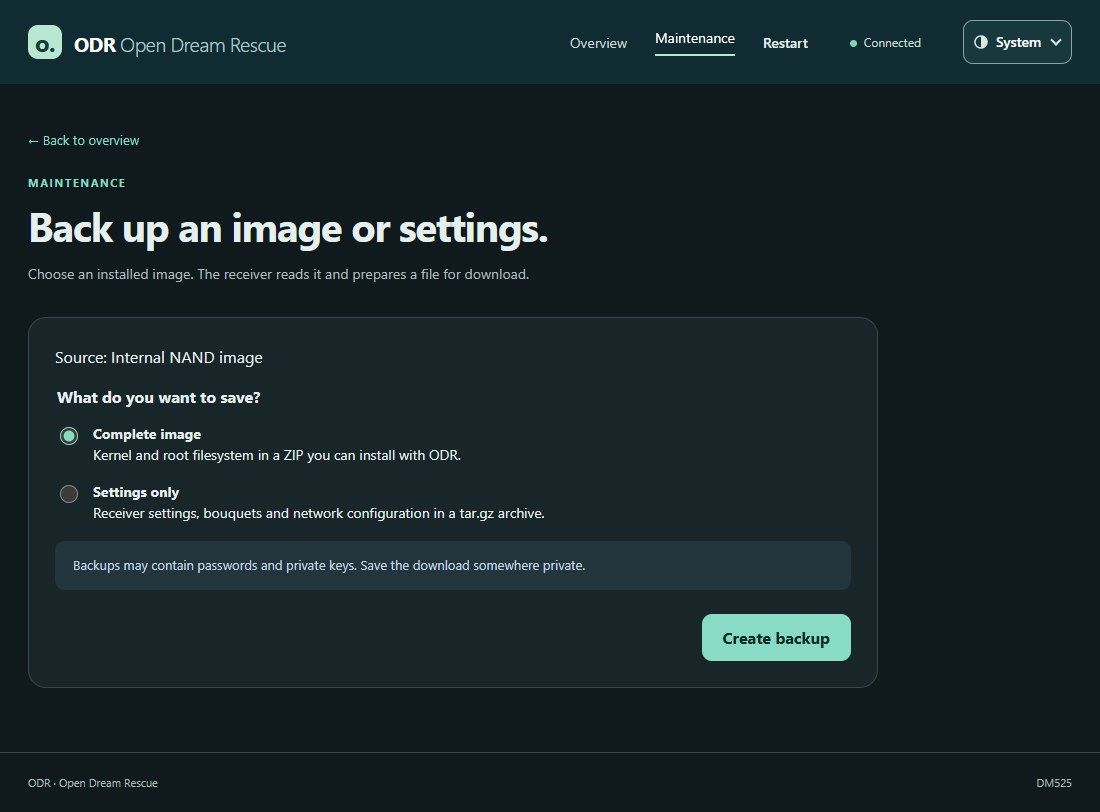
multiple internal image slots, back up your data first. Under Maintenance →
Backups & diagnostics → Create a backup, you can save a complete image or
just the settings for the slots offered. Then click Download backup. The copy
in RAM is lost on reboot.
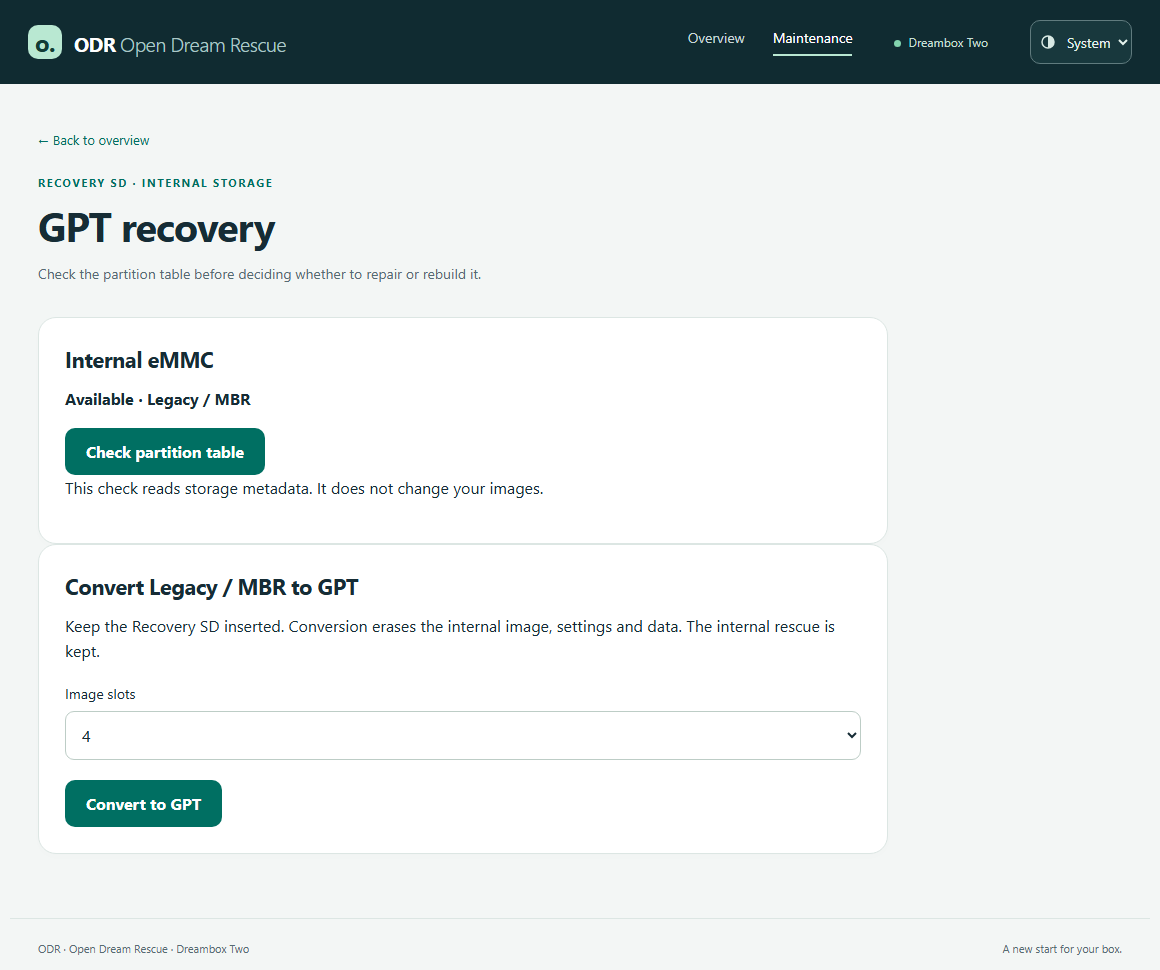
To make the switch, start from the tested Recovery SD. Select Open GPT
recovery → Check partition table. This check only reads the condition. If the
legacy layout is detected, you can select Convert to GPT, set the number of
internal slots, and confirm the deletion. All internal images, settings and data
will be lost during the changeover. The internal rescue is maintained. After the
success message, remove the recovery SD and select Restart into internal
rescue. Now you can fill the empty slots with images.
ODR only offers the conversion from the recovery SD. This way, the internal
eMMC is free for repartitioning, and you already have a bootable emergency
card before the first write access. The normal user path leads from MBR to
GPT. There is deliberately no menu item back from GPT to MBR in normal
operation. This would rewrite the factory layout and destroy the GPT slots
and their data. The provision is reserved for service. If only the GPT boot
menu is damaged, you can check the suggested entries in the internal ODR
under Maintenance → Repair boot menu → Preview boot menu before saving
them.
 5. System SD – the TV image on its own card
A system SD contains a normal TV image with its own kernel and file system.
To do this, you take a second card. You can store the recovery SD separately.
A system SD is suitable if you want to save the internal memory or the
internal image area no longer works reliably. The model-specific early boot
files (FIP) are also on the card. The image operation of SD has been tested.
Whether a box with completely unreadable eMMC already loads its first boot
stage from SD has not yet been confirmed on such a device.
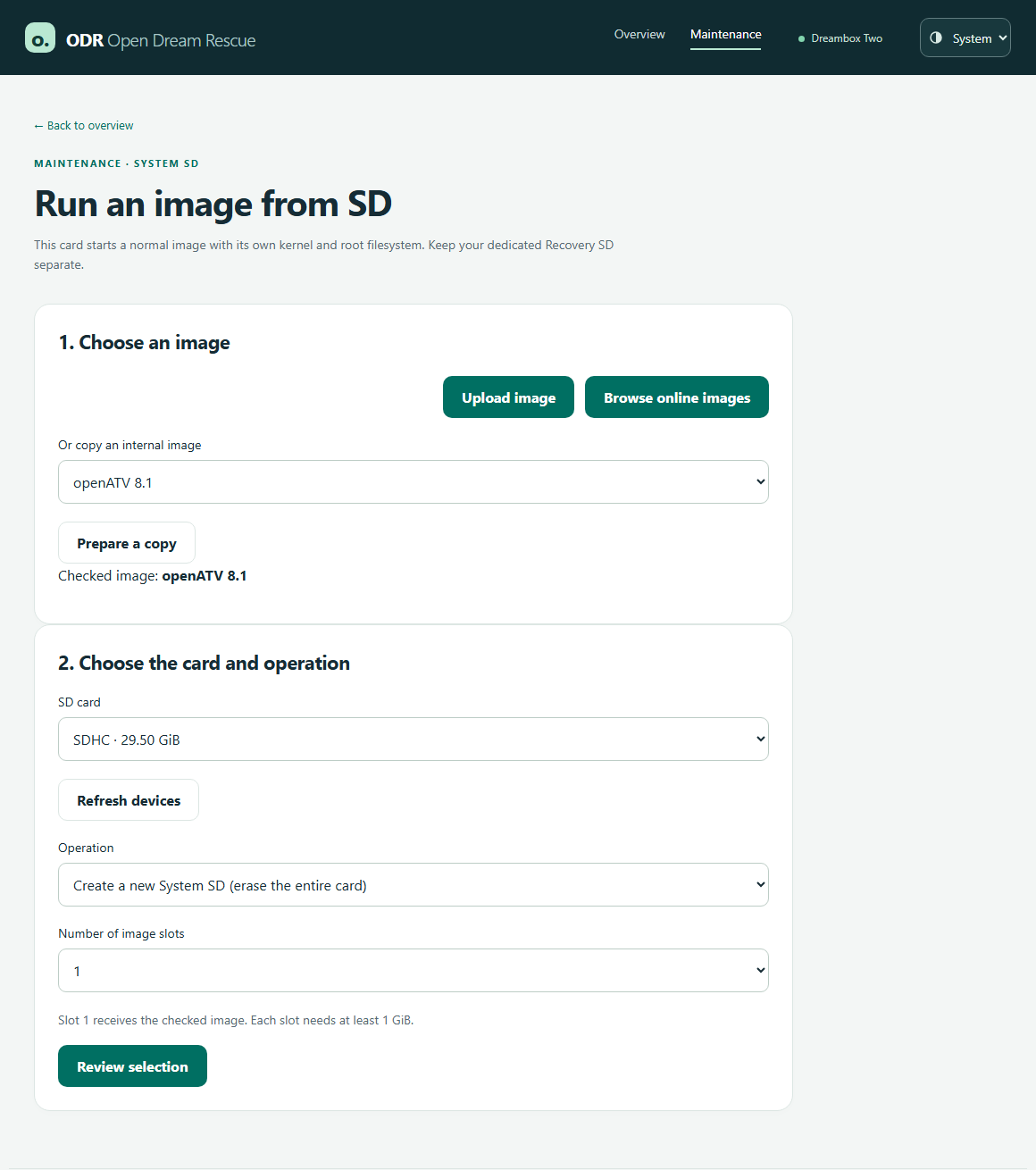
Open Maintenance → System SD card → Use a System SD. Upload a suitable
image, choose an online image or create a copy from an internal slot offered
with Prepare a copy. Then select the separate destination card and create a
new System SD. Depending on capacity, one to eight slots are possible. When
you create it, the card is deleted and slot 1 is filled with the checked image.
Review selection allows you to check and confirm the goal. After Your System
SD is ready, turn off the box and turn it back on with the System SD inserted.
Later, you can replace a single SD slot or change the card's boot slot on the
same page.
 6. Update ODR, report bugs, and offer images
If ODR is already installed, open Maintenance → Device firmware → Check
for updates. Under Update Open Dream Rescue you can download, check and
then install the appropriate update. On the same page, you'll find deals on
front processor and original submarine. For a normal ODR update, the ODR
entry is sufficient.
Is an image missing in the download area or is a link broken? Report model,
image name, download link, and the message under Details in the Catalogue
issue tracker. An error in the started image belongs to the respective image
team. In the event of an error during installation, it also helps to specify
whether the target was legacy, a GPT slot or a system SD.
Image teams can submit their offer via pull request: dreamone/images and
dreamtwo/images. Only enter models for which you build a suitable image.
Each line contains a name without spaces and an HTTPS link that provides the
image archive without registration. Underscores appear as spaces in ODR.
The files can remain on the team's server. Example (replace address with
your own download):
Code:
Teamname_Stable https://downloads.example.org/dreamone/teamname-dreamone.zip